
在武汉,我把酒店地址和求助用语先放到了手机最前面 | In Wuhan, I Put My Hotel Address and Help Phrases at the Front of My Phone
在武汉出门前,我把手机准备做得更笨也更稳 | Before Going Out in Wuhan, I Made My Phone Setup Simpler and Safer
中文
到武汉旅行,手机不一定要装得很复杂。越是陌生的城市,越要把手机设置得更笨一点、更稳一点:少跳转,少依赖临时搜索,少在路边慌张输入;多截图,多离线,多把常用信息放在一屏。武汉很大,江面很宽,地铁线路长,老街和新城之间切换快。人在地铁换乘口、江边风口、药店柜台、网约车上车点,真正需要的不是炫目的功能,而是能在三秒内找到二维码、酒店地址、紧急联系人、常用地图、药品清单和司机沟通句。
Before traveling in Wuhan, the phone does not need to become complicated. In an unfamiliar city, it is often better to make the phone a little dumber and steadier: fewer jumps between apps, less dependence on last-minute searching, less typing in a hurry beside the road; more screenshots, more offline material, and more essential information gathered on one screen. Wuhan is large, the river is wide, the metro lines stretch far, and old neighborhoods and new districts can change quickly. At a metro interchange, on a windy riverside path, at a pharmacy counter, or near a ride-hailing pickup point, what truly matters is not a dazzling feature but the ability to find a QR code, hotel address, emergency contact, map, medicine list, or driver message within three seconds.
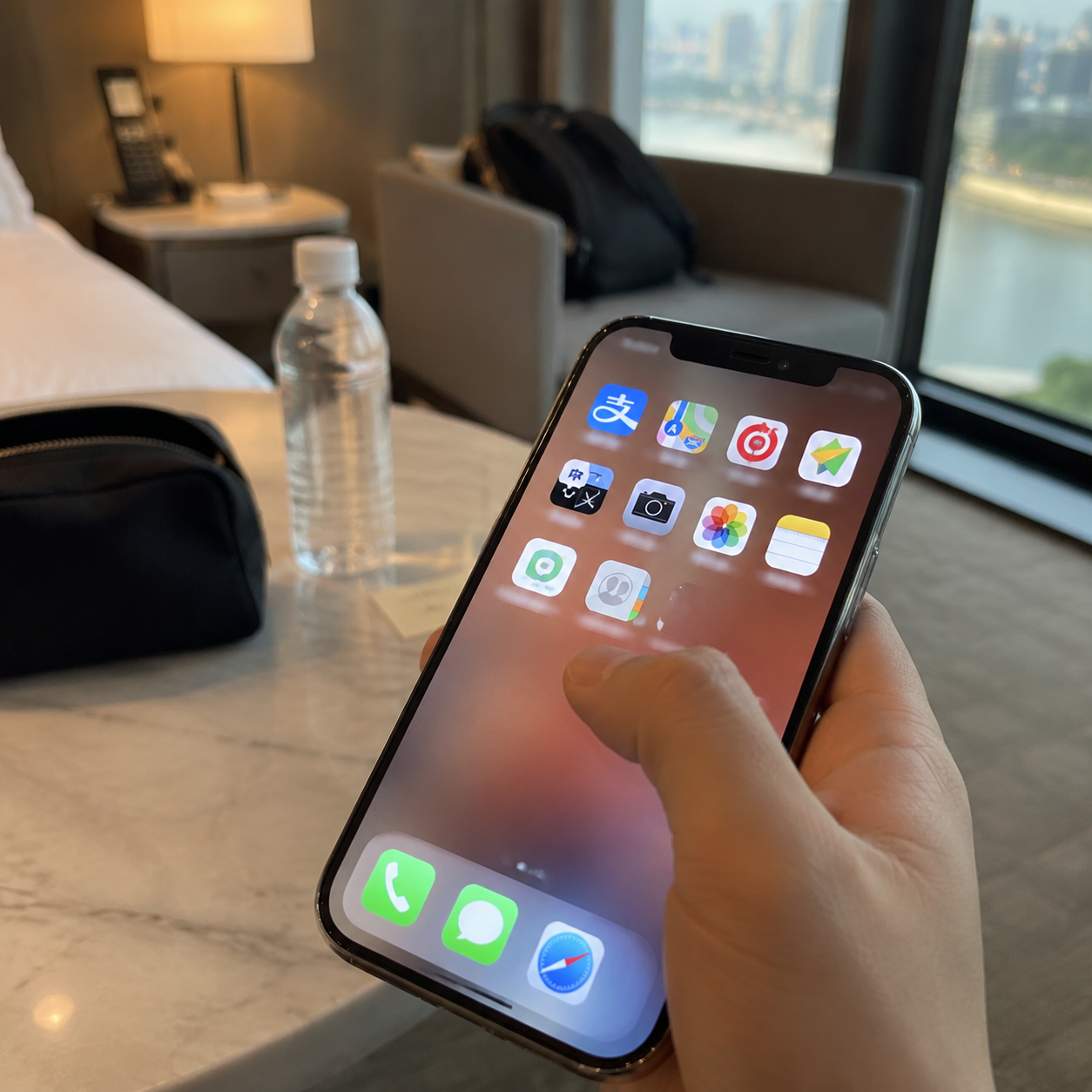
我把这套手机准备方法称作“一屏整理”。不是把所有软件都删掉,也不是追求极简到不方便,而是给旅行场景做一个临时桌面。第一页只放当天最常用的东西:支付、地图、地铁、打车、翻译、相机、相册、备忘录、酒店信息、紧急联系人。第二页才放社交、购物、视频和其他会分散注意力的应用。到武汉后,你会发现许多时刻都很碎:刚出地铁要看出口,走到江边要查路线,买药时要给店员看症状说明,网约车司机来电时要迅速确认上车点。如果每次都在十几个图标里找,心情会被一点点磨乱。
I call this preparation method “one-screen organization.” It does not mean deleting every app, nor does it mean chasing minimalism until the phone becomes inconvenient. It means creating a temporary travel desktop for practical scenes. The first screen holds only the tools used most during the day: payment, maps, metro, ride-hailing, translation, camera, photos, notes, hotel information, and emergency contacts. Social media, shopping, video, and other distracting apps move to the second screen. Once in Wuhan, many moments become fragmented: leaving the metro and checking the exit, reaching the riverside and confirming the route, buying medicine and showing symptoms to a clerk, or answering a driver’s call and confirming the pickup spot. If every moment requires searching through a dozen icons, your mood slowly gets scattered.
第一步,是把“到达信息”做成固定卡片。卡片里写清楚酒店中文名、英文名、详细地址、前台电话、最近地铁站、附近明显地标、入住人姓名、订单号。最好再加一句简单说明:我住在这里,请帮我确认方向。把这张卡片存在备忘录里,再截图放进相册收藏。这样即使网络慢,甚至地图打不开,你也能把图片递给地铁工作人员、便利店店员、出租车司机或路人看。武汉的路名、桥名、商圈名有时很相似,截图比临时口述更稳。
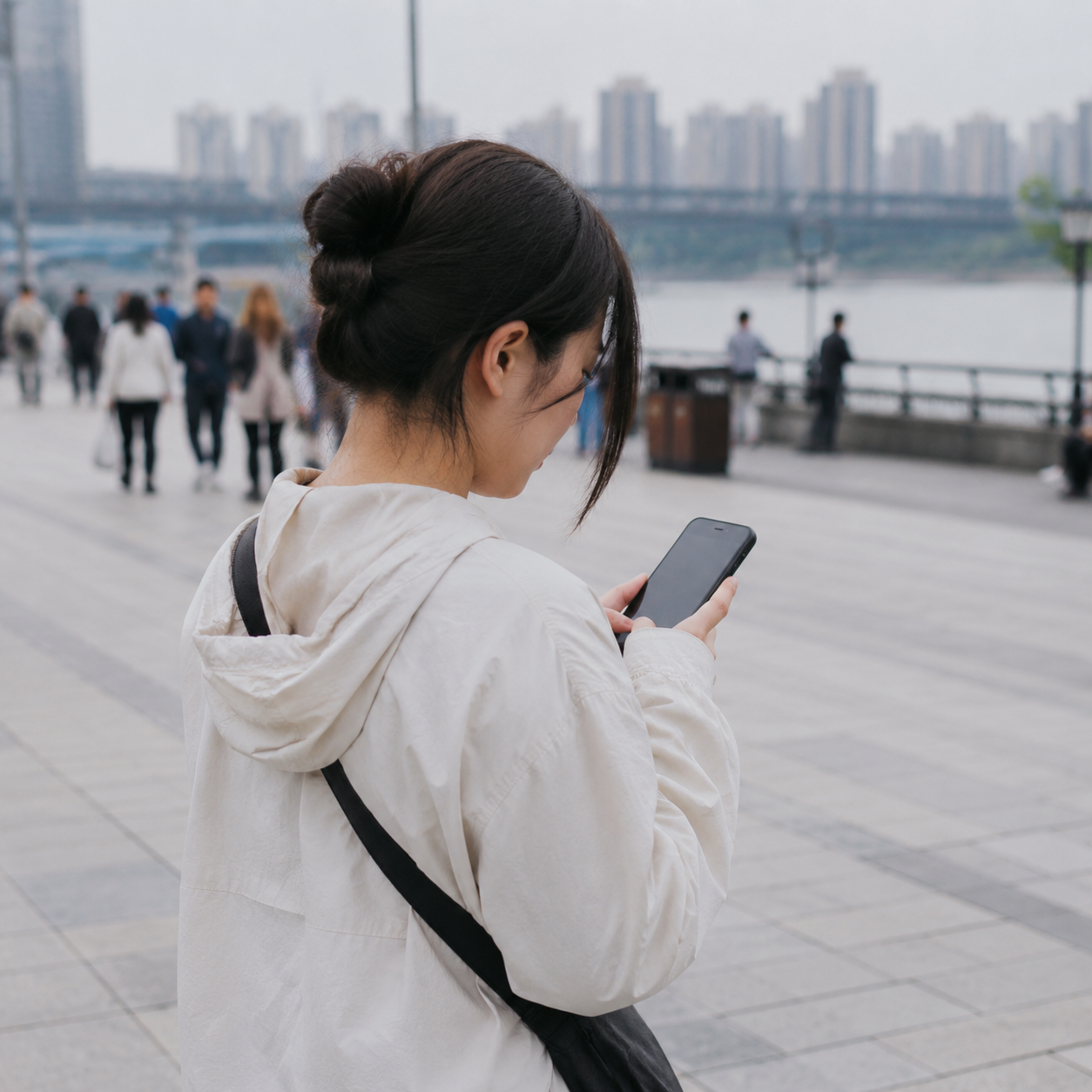
The first step is to turn arrival information into a fixed card. The card should include the hotel’s Chinese name, English name, full address, front desk phone number, nearest metro station, nearby landmark, guest name, and booking number. It is also useful to add a simple sentence: I am staying here; please help me confirm the direction. Save this card in notes and also keep a screenshot in your photo favorites. If the network is slow or the map fails to load, you can show the image to metro staff, a convenience-store clerk, a taxi driver, or a passerby. In Wuhan, some road names, bridge names, and commercial areas can sound similar; a screenshot is steadier than a hurried verbal description.
第二步,是为地铁准备“低技术路线”。武汉地铁很方便,但站内空间大,部分换乘距离长,热门时段人流密。不要只依赖实时导航。出发前,把当天可能用到的线路图、站名、换乘站、目标出口都截图。截图命名可以简单一点,比如“早上去黄鹤楼”“下午去江汉路”“晚上回酒店”。如果手机相册能建相簿,就建一个“武汉当天”。里面只放今天会用的截图,不要混进几十张风景照。走到站台时,你不用重新搜索,只要打开相簿就能确认方向。
The second step is to prepare a low-tech metro route. Wuhan’s metro is convenient, but stations can be large, some transfers are long, and popular hours bring heavy crowds. Do not rely only on live navigation. Before leaving, screenshot the route map, station names, transfer station, and target exit for the day. The screenshot names can stay simple, such as “morning to Yellow Crane Tower,” “afternoon to Jianghan Road,” and “night back to hotel.” If your photo app allows albums, create one called “Wuhan Today.” Put only today’s useful screenshots inside, not dozens of scenery photos. When you reach the platform, you do not need to search again; you simply open the album and confirm the direction.
地铁里还要注意信号和电量。不要等进站后才下载地图,不要在闸机前才找乘车码。把交通二维码放到桌面小组件或快捷入口里,亮度调到能被扫码机识别的程度,自动锁屏时间稍微延长。备用做法是提前知道单程票购买方式,或者准备一张常用支付方式的截图说明。武汉早晚高峰人多,闸机口不适合慢慢研究手机。设置得笨一点,就是把复杂步骤提前完成,把现场动作缩短成“打开、出示、通过”。
Pay attention to signal and battery inside the metro. Do not wait until entering the station to download maps, and do not start looking for the transit code in front of the gate. Place the transport QR code in a widget or shortcut, set the screen brightness high enough for scanners, and extend auto-lock slightly. As a backup, know how to buy a single-journey ticket or prepare a screenshot explaining your usual payment method. Wuhan’s rush hours can be crowded, and the gate area is not the place to study your phone slowly. Making the phone dumber means finishing complicated steps in advance and reducing the on-site action to “open, show, pass.”
第三步,是给江边散步准备离线信息。武汉的江边很值得慢慢走,汉口江滩、武昌江边、长江大桥附近,都有开阔的风和长距离步道。但江边也容易让人低估距离。地图上看着一小段,实际走起来可能被栏杆、地下通道、施工围挡、临时活动和人流改变节奏。出门前先把起点、终点、最近地铁站、可撤退的公交站、公共厕所、便利店位置截图。尤其晚上看灯光、拍桥、吹江风时,人会不知不觉走远,返回路线要提前留好。
The third step is to prepare offline information for riverside walking. Wuhan’s riversides are worth taking slowly: Hankou River Beach, the Wuchang side, and the area near the Yangtze River Bridge all offer open wind and long walking paths. But riversides also make distance easy to underestimate. A short segment on the map may feel longer in reality because railings, underpasses, construction barriers, temporary events, and crowds change the rhythm. Before leaving, screenshot the starting point, ending point, nearest metro station, possible bus stops for retreat, public toilets, and convenience stores. Especially at night, when you watch the lights, photograph the bridge, and enjoy the river wind, you may walk farther than expected; the return route should already be saved.
江边风大时,手机使用会变得笨拙。手冷、屏幕沾水、亮度不足、定位漂移,都会让平时顺手的操作变慢。可以把天气、雨量、风力、日落时间截图,也把一个简单的“回酒店路线”截图放在收藏第一张。充电宝要放在外层口袋,不要塞到包底。手机壳里不要夹太多票据,扫码时容易滑落。拍照时也别把所有电量消耗在视频上,江边回程比拍摄本身更需要手机可靠。

When the riverside wind is strong, using the phone becomes awkward. Cold hands, a wet screen, low brightness, and drifting location signals can slow down normally easy actions. Screenshot the weather, rain chance, wind level, and sunset time, and place a simple “route back to hotel” screenshot as the first favorite. Keep the power bank in an outer pocket rather than at the bottom of a bag. Do not stuff too many receipts inside the phone case; they may slip when scanning codes. When taking photos, avoid spending all your battery on video, because the return from the riverside needs a reliable phone more than the filming itself does.
第四步,是为药店准备一组安静的文字。旅行中买药最怕临时解释不清,尤其是嗓子痛、肠胃不舒服、过敏、晕车、脚磨破这类小问题。可以在备忘录里写好几条简短句子:我有点头痛;我肚子不舒服;我可能过敏;我不想要含某种成分的药;我需要创可贴;请告诉我用法和次数;如果严重我会去医院。每条下面配英文,或者配自己的母语说明。把常见过敏史、正在服用的药、不能吃的成分写清楚。到药店时,把手机递给店员看,比边咳嗽边解释更稳。
The fourth step is to prepare a quiet set of sentences for pharmacies. Buying medicine while traveling can become stressful when symptoms are hard to explain, especially for a sore throat, stomach trouble, allergies, motion sickness, or blisters. Write several short notes in advance: I have a headache; my stomach feels uncomfortable; I may be allergic; I do not want medicine containing a certain ingredient; I need bandages; please tell me the dosage and frequency; if it becomes serious I will go to a hospital. Add English below each line, or add your own language. Clearly list allergies, current medications, and ingredients you must avoid. At the pharmacy, showing the phone to the clerk is steadier than coughing while trying to explain.
药店场景里,截图同样有用。处方药、非处方药、保健品、外用药之间的区别,不一定能靠包装颜色判断。把你常用药的照片、通用名、剂量、医生提醒截图存在相簿。不要只拍品牌名,因为不同地区同类产品品牌可能不同。也不要把药店当成诊所,店员能帮助你找常见药,但不能替代医生判断严重症状。手机里最好保存附近医院或急诊的地址和电话,哪怕用不上,也能让人心里踏实。
Screenshots are useful in pharmacy situations too. The difference between prescription medicine, over-the-counter medicine, supplements, and external-use products cannot always be judged by packaging color. Save photos of your usual medicines, their generic names, dosage, and doctor’s notes in an album. Do not photograph only the brand name, because brands may differ by region. Also, do not treat a pharmacy as a clinic. Clerks can help find common medicine, but they cannot replace a doctor’s judgment for serious symptoms. Keep the address and phone number of a nearby hospital or emergency department on the phone; even if you never use it, it gives peace of mind.
第五步,是把网约车设置成“少说话也能完成”。武汉路网复杂,跨江路线、桥梁入口、商场地下车库、景区周边临停点,都可能让司机和乘客互相找不到。出发前,在打车软件里确认定位不要只落在大楼中心,要尽量选择门口、路边、酒店大堂外、地铁出口编号、便利店门口这样的具体点。把上车点截图发给同行者,也保存在相册里。如果司机打电话,你可以直接读出地标:我在某某地铁站A出口外,旁边是某某店,我穿什么颜色衣服。
The fifth step is to make ride-hailing work with fewer words. Wuhan’s road network can be complex: cross-river routes, bridge entrances, underground mall garages, and temporary stopping points around scenic areas may cause drivers and passengers to miss each other. Before ordering, make sure the pickup location is not simply pinned at the center of a building. Choose a specific spot such as the doorway, roadside, outside the hotel lobby, a numbered metro exit, or the entrance of a convenience store. Screenshot the pickup point and send it to companions, and keep it in your album. If the driver calls, you can read a landmark directly: I am outside Exit A of this metro station, next to this shop, wearing this color.
可以提前写好几句给司机看的中文:请在这个出口等我;我不太会说中文,请发文字;我在路边,马上到;如果这里不能停车,请告诉我新的上车点;请把我送到酒店正门。遇到雨天、晚高峰或江边活动散场,司机可能建议你走到更好停车的位置。不要边走边盯着地图穿马路,先站到安全处,再确认新位置。手机设置再聪明,也不能替代抬头看车流。
Prepare a few Chinese sentences to show drivers: Please wait at this exit; I do not speak Chinese well, please send text; I am by the road and arriving soon; if cars cannot stop here, please tell me the new pickup point; please take me to the hotel main entrance. On rainy days, during evening rush hour, or after riverside events, a driver may ask you to walk to a better stopping place. Do not stare at the map while crossing roads. First stand somewhere safe, then confirm the new location. No phone setting, however smart, can replace looking up at traffic.
第六步,是给所有重要信息做“双备份”。一个备份在云端,一个备份在本机;一个在应用里,一个在截图里。酒店订单、交通订单、身份证件照片、保险信息、紧急联系人、航班或火车信息、支付方式说明,都至少保存两种形式。截图文件不要只按时间堆在相册里,要收藏、建相簿、或者写进备忘录。武汉旅行中,手机网络通常不成问题,但真正需要信息的时候,偏偏可能在地下、桥下、商场深处、雨中或人群中。离线信息不是因为城市不方便,而是因为旅行者的注意力有限。
The sixth step is to give all important information a double backup. One backup in the cloud and one on the device; one inside the app and one as a screenshot. Hotel bookings, transport bookings, identity-document photos, insurance information, emergency contacts, flight or train details, and payment instructions should exist in at least two forms. Screenshots should not merely pile up chronologically in the photo roll; favorite them, place them in an album, or copy them into notes. During travel in Wuhan, phone networks are usually fine, but the moment you truly need information may happen underground, under a bridge, deep inside a mall, in rain, or in a crowd. Offline information is not needed because the city is inconvenient; it is needed because a traveler’s attention is limited.
第七步,是让屏幕更适合现场使用。把字体调大一点,把常用语言键盘放在前面,把语音输入和输入法切换确认好,把锁屏通知减少,把低电量模式快捷入口放出来。地图和打车软件允许定位,相机允许访问相册,支付软件确认能打开。不要等到药店柜台前才发现权限没开,也不要在地铁闸机前才发现亮度太低。可以把手机的“专注模式”设成旅行模式:只允许电话、地图、支付、打车、同行者消息和酒店电话提醒,其余通知暂时静音。
The seventh step is to make the screen better for real-world use. Increase font size slightly, place the most useful language keyboard first, confirm voice input and keyboard switching, reduce lock-screen notifications, and make low-power mode easy to reach. Allow location access for maps and ride-hailing apps, allow the camera to access photos, and confirm that payment apps open properly. Do not wait until the pharmacy counter to discover that permissions are blocked, and do not wait at the metro gate to realize brightness is too low. You can set a travel focus mode: allow only calls, maps, payment, ride-hailing, companion messages, and hotel calls, while muting other notifications temporarily.
第八步,是准备一个“走散也能集合”的页面。同行旅行时,最常见的麻烦不是大事故,而是在商场、地铁站、夜市、江滩、景区出口互相找不到。约定集合点要具体,不能只说“门口”。写成:江汉路地铁站某出口外的某店门口;黄鹤楼景区某门外的售票处旁;酒店大堂沙发区;某便利店招牌下。把集合点截图发到群里,同时存在每个人手机相册。老人和孩子的手机可以把这张图设成锁屏壁纸,或者写一张纸放口袋里。
The eighth step is to prepare a “meet if separated” page. When traveling with companions, the most common trouble is not a major accident but losing each other in malls, metro stations, night markets, riverside parks, or scenic exits. Meeting points must be specific; do not simply say “the entrance.” Write them as: outside a certain exit of Jianghan Road metro station, in front of a certain shop; beside the ticket office outside a certain gate of Yellow Crane Tower; the sofa area in the hotel lobby; under the sign of a particular convenience store. Send screenshots of the meeting point to the group and save them in everyone’s photo album. For elderly travelers or children, this image can become the lock screen wallpaper, or the same information can be written on paper and kept in a pocket.
第九步,是给支付和证件留出退路。多数时候移动支付非常顺,但旅行不要把所有信心都压在一个入口上。准备少量现金,确认银行卡或备用支付方式,保存证件照片但不要随意展示给陌生人。支付应用可以放在第一屏,但不要把密码、证件号、银行卡照片放在无锁的相册里。手机丢失时,最重要的是能尽快联系同行者、酒店和支付平台冻结相关功能。因此紧急联系人页面应该包含:同行者电话、酒店电话、银行客服电话、运营商客服电话、使领馆或本国紧急协助方式。
The ninth step is to leave backup options for payment and identity documents. Most of the time mobile payment works smoothly, but travel should not place all confidence in one entrance. Carry a small amount of cash, confirm a bank card or backup payment method, and save document photos without casually showing them to strangers. Payment apps can stay on the first screen, but passwords, identity numbers, and bank-card photos should not sit in an unlocked album. If the phone is lost, the most important thing is to contact companions, the hotel, and payment platforms quickly to freeze relevant functions. Therefore the emergency contact page should include companion numbers, hotel number, bank customer service, carrier customer service, and embassy or home-country emergency assistance information.
第十步,是每天晚上做一次三分钟整理。回到酒店后,不要让当天截图继续堆积。删掉已经不用的路线,保留有价值的地址,把第二天要用的截图放到相簿最前。给充电宝、手机、耳机都充电。把第二天的地铁路线、江边步行计划、药店或超市位置、回程打车点重新确认。武汉的行程常常会因为天气、朋友推荐、临时想吃的热干面或江景而改变,手机整理也要跟着改变。当天的一屏不是永久桌面,而是第二天可以重排的工具台。
The tenth step is to spend three minutes organizing every night. After returning to the hotel, do not let the day’s screenshots keep piling up. Delete routes that are no longer needed, keep useful addresses, and move tomorrow’s screenshots to the front of the album. Charge the power bank, phone, and earphones. Reconfirm tomorrow’s metro route, riverside walk, pharmacy or supermarket location, and return ride-hailing point. Wuhan itineraries often change because of weather, friends’ recommendations, a sudden craving for hot dry noodles, or a river view. Phone organization should change with them. The day’s one-screen setup is not a permanent desktop; it is a tool board that can be rearranged for tomorrow.
这套方法看起来笨,却能减少许多旅行中的小慌张。笨,是把关键句子写好;稳,是把路线截图存好;笨,是把二维码放在固定位置;稳,是知道没网时还能做什么。武汉这样的城市,真正的乐趣不在手机里,而在过江时看到的桥影、地铁口冒出的热气、江边吹乱的头发、药店店员一句“这个一天两次”、司机确认“我到出口了”的那一刻。手机越安静,城市越清楚。你不用把自己变成攻略机器,只需要让手机成为可靠的口袋纸条。
This method may look dumb, but it reduces many small travel panics. Dumb means writing key sentences in advance; steady means saving route screenshots; dumb means keeping the QR code in a fixed place; steady means knowing what to do when the network fails. In a city like Wuhan, the real pleasure is not inside the phone but in the bridge shadows while crossing the river, the steam rising near metro exits, hair blown loose by riverside wind, a pharmacy clerk saying “twice a day,” or a driver confirming “I have reached the exit.” The quieter the phone becomes, the clearer the city feels. You do not need to turn yourself into a guidebook machine; you only need the phone to become a reliable paper note in your pocket.
最后给一个可直接照抄的一屏清单:第一行放支付、地铁、地图、打车;第二行放相机、相册、翻译、备忘录;第三行放酒店卡片、今日路线、药店句子、紧急联系人;底部固定电话和消息。相册里建三个相簿:今日路线、重要证件、健康药品。备忘录里建四张卡:酒店地址、司机句子、药店句子、走散集合点。出门前打开一次,确认每张卡都能离线查看。这样,哪怕站在武汉地铁的人流里,哪怕江边忽然下雨,哪怕药店里一时说不清,哪怕网约车定位偏了,你也能慢慢处理。
Finally, here is a one-screen checklist you can copy directly: first row for payment, metro, map, and ride-hailing; second row for camera, photos, translation, and notes; third row for hotel card, today’s route, pharmacy sentences, and emergency contacts; bottom dock for phone and messages. In photos, create three albums: Today’s Routes, Important Documents, and Health and Medicine. In notes, create four cards: Hotel Address, Driver Sentences, Pharmacy Sentences, and Meeting Point If Separated. Before leaving, open each one once and confirm that it can be viewed offline. Then, even if you are standing in the flow of Wuhan’s metro, even if rain suddenly starts by the river, even if you cannot explain yourself clearly in a pharmacy, even if the ride-hailing location drifts, you can handle it slowly.
- 在大同的风里看石窟与城墙 | Reading Grottoes and City Walls in Datong's Wind
- 南京早餐摊前的队伍,让我第一次看懂城市早晨 | A Breakfast Queue in Nanjing Helped Me Read a City’s Morning
- 五月黄山脚下的一场雨,让本人第一次明白赶景点不如先安顿情绪 | A Rainy May Day at the Foot of Huangshan Taught Me to Settle My Mood Before Chasing Views
- 手机支付失败后我学会准备备用方案 | After My Mobile Payment Failed, I Learned to Prepare a Backup Plan in China
- 苹果园门口那双沾泥的鞋,让我走进昭通的劳动节奏 | Muddy Shoes at an Apple Orchard Led Me into Zhaotong’s Work Rhythm
- 中国城市通勤怎么选:地铁、打车、骑行的真实差别 | Metro, Taxi, or Bike: How Commuting Really Works in Chinese Cities
- 第一次在中国自助快餐学会先找托盘回收口 | The First Thing I Learned in a Chinese Self-Service Fast Food Place Was to Find the Tray Return Area First
- 保温杯没有拧紧的那一刻,我才懂宜春的温泉不是赶场项目 | When My Thermos Came Loose, I Understood That Yichun’s Hot Springs Are Not a Race
- 敦煌到吐鲁番:三天穿越丝绸之路 | Dunhuang to Turpan: A 3-Day Silk Road Crossing
- 跨境支付的隐藏成本:汇率、限额与手续费,外国游客怎么少花冤枉钱 | The Hidden Costs of Cross-Border Payment in China: Exchange Rates, Limits & Fees That Catch Tourists Off Guard
Comments (0)